bootstrap-select下拉选择
前面模板项目中固有的插件里面讲到了,v4的模板已经默认集成了bootstrap-select插件,那么这里就只稍微说一下v3中的使用,插件项目中有两个版本的bootstrap-select,一个是1.6.3,另一个是1.13.18,因为1.6.3的版本不支持bootstrap 4,所以后来是针对4采用最新的稳定版本1.13.18。
github地址:https://github.com/snapappointments/bootstrap-select
文档地址:https://www.bootstrapselect.cn/
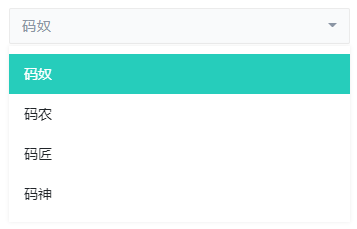
这里提一下v3使用时候遇到的一些情况:
1、因为插件初始化之后,没有了原有select点击后的表框效果,可以增加css以实现这个效果。
/*v3的 - 看清楚哪个版本就复制哪个,不要全复制进去*/
.bootstrap-select.open .dropdown-toggle {
    border-color: #33cabb!important;
    -webkit-box-shadow: inset 0 1px 1px rgba(0,0,0,.075), 0 0 8px rgba(51, 202, 187, .6);
        box-shadow: inset 0 1px 1px rgba(0,0,0,.075), 0 0 8px rgba(51, 202, 187, .6);
}
.bootstrap-select.open .dropdown-menu.open {
    border: 1px solid #ebebeb;
}

/*v4的 - 看清楚哪个版本就复制哪个,不要全复制进去*/
.bootstrap-select.show .dropdown-toggle {
    border-color: #33cabb!important;
    box-shadow: 0 0 0 0.2rem rgba(51, 202, 187, 0.25);
}
.bootstrap-select.show .dropdown-menu.open {
    border: 1px solid #ebebeb;
}
.bootstrap-select .dropdown-toggle:focus,
.bootstrap-select>select.mobile-device:focus+.dropdown-toogle {
    outline: 0!important;
    outline-offset: 0!important;
}
2、v3的版本,菜单标题默认点击×不关闭,这里在初始化插件代码后增加一个关闭的操作。
$(document).ready(function() {
    // 默认
    $('.selectpicker').selectpicker();
    // 菜单标题默认点击×不关闭,这里自己关一下
    $('.bootstrap-select').find('.close').on('click', function(){
        $(this).parents('.bootstrap-select').removeClass('open');
        $(this).parent().parent().prev('.dropdown-toggle').attr('aria-expanded', 'false');
    });
});插件项目中页面名字:test_bootstrap_select.html test_bootstrap_select_v4.html
涉及的文件:
js/bootstrap-select/bootstrap-select.min.cssjs/bootstrap-select/bootstrap-select.min.jsjs/bootstrap-select/i18n/defaults-zh_CN.min.js